Selected work / 01

AirPal

A wearable airport companion that helps less-experienced travellers navigate unfamiliar journeys with clarity, comfort, and confidence.
UX Design · Wearable Product Design

Research · Prototyping · Usability Testing

Concept & prototype

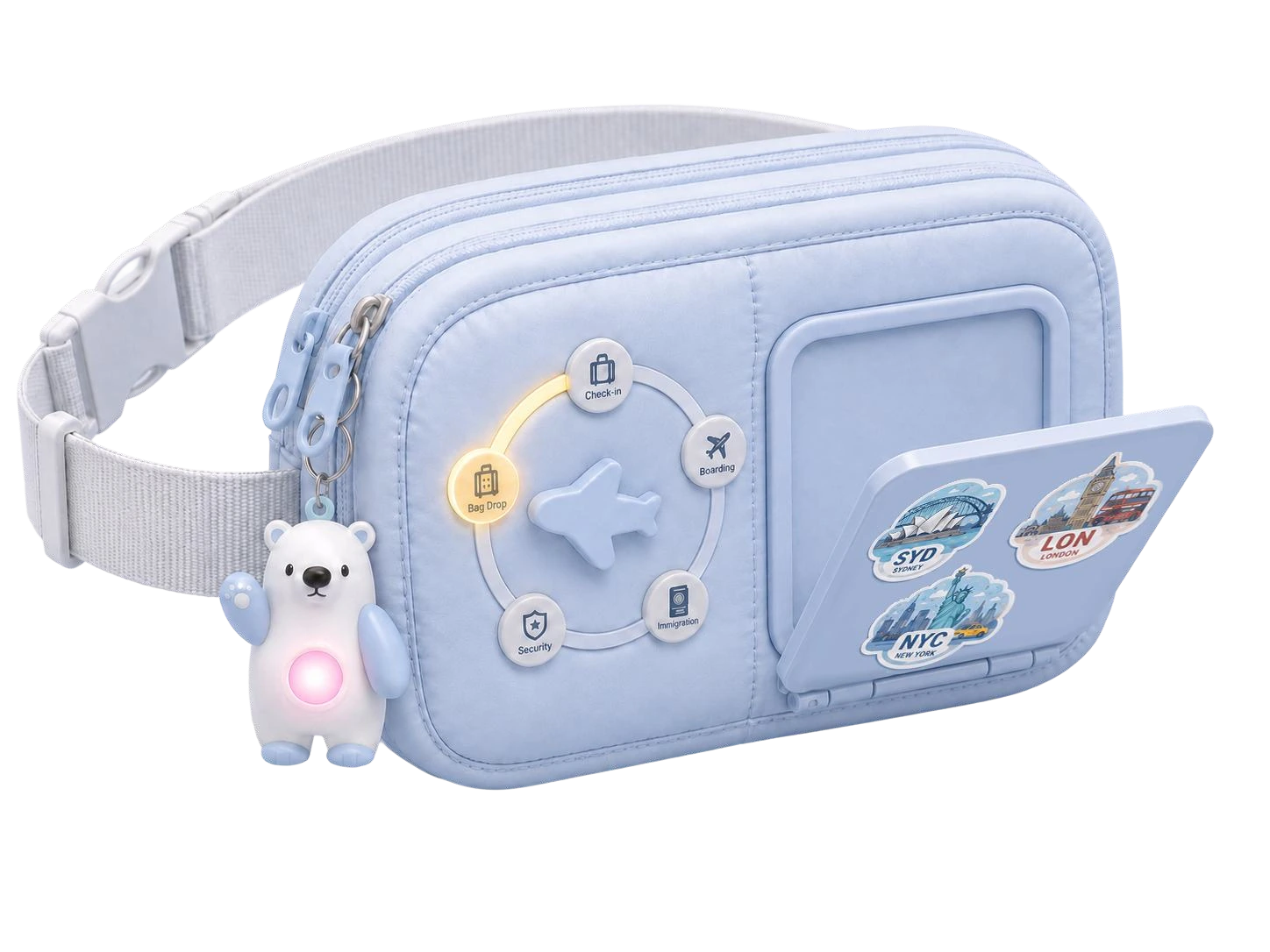
AirPal blue wearable bag with a foldable screen, physical progress dial and bear charm
A little reassurance. Every step of the journey.

The project at a glance

Wearable · Interface · Reassurance

01 / Challenge

Unfamiliar procedures and scattered information make airports stressful for less-experienced travellers.

02 / Goal

Make the next step clear, while keeping guidance and essential belongings close at hand.

03 / Design scope

User research, wearable concept, physical prototyping, UI design and usability testing.

04 / Outcome

A wearable bag concept combining a foldable display, progress dial and multimodal alerts.

01 / Context

Understanding the Problem

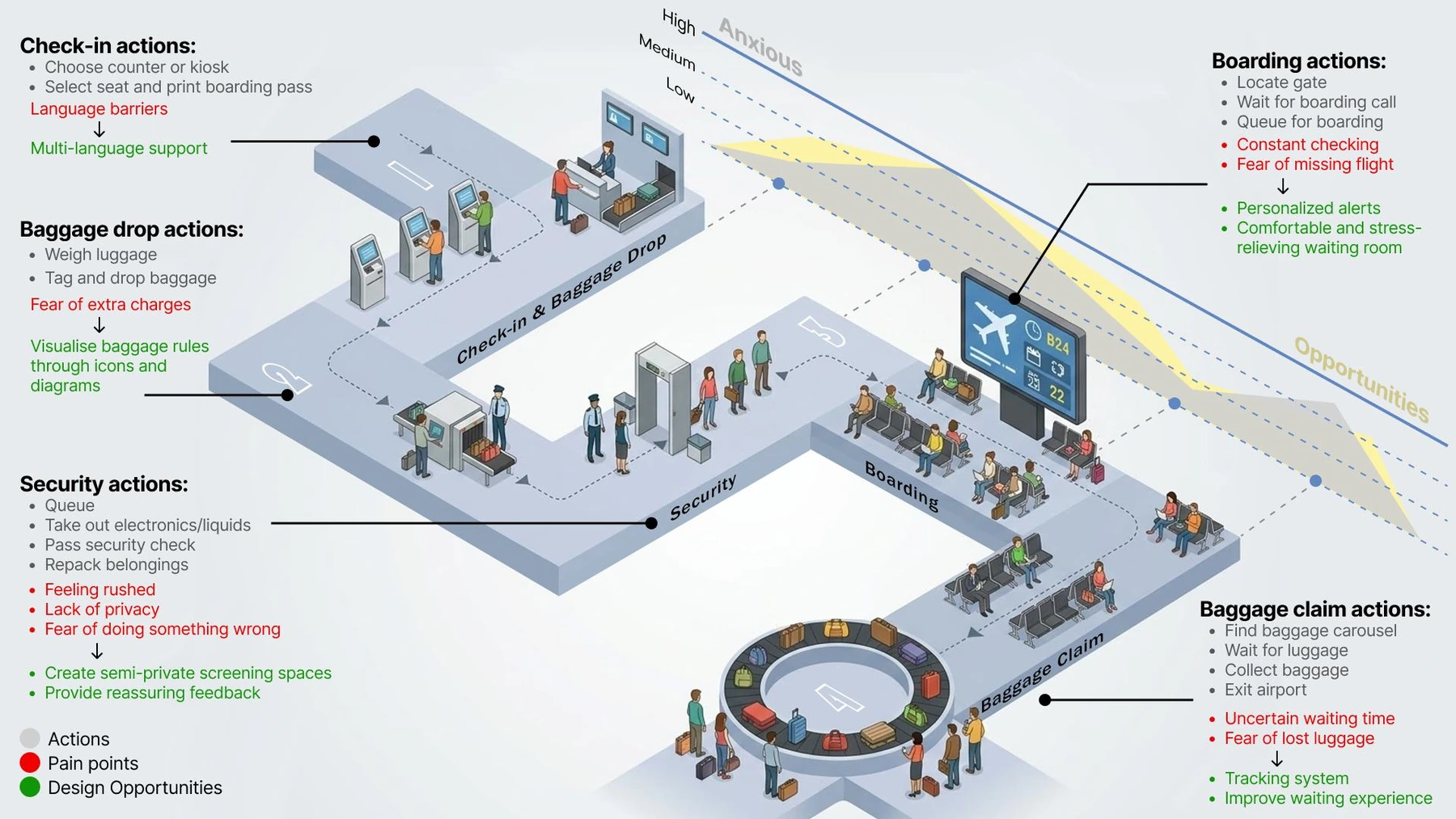
Airports ask travellers to process a lot of information at once. For someone who rarely flies, even a routine security check can feel uncertain: Where do I go? What do I prepare? Am I running out of time?
  • Advice is scattered across platforms and airport displays
  • Unfamiliar procedures make small decisions stressful
  • Repeated checking interrupts rest and reassurance
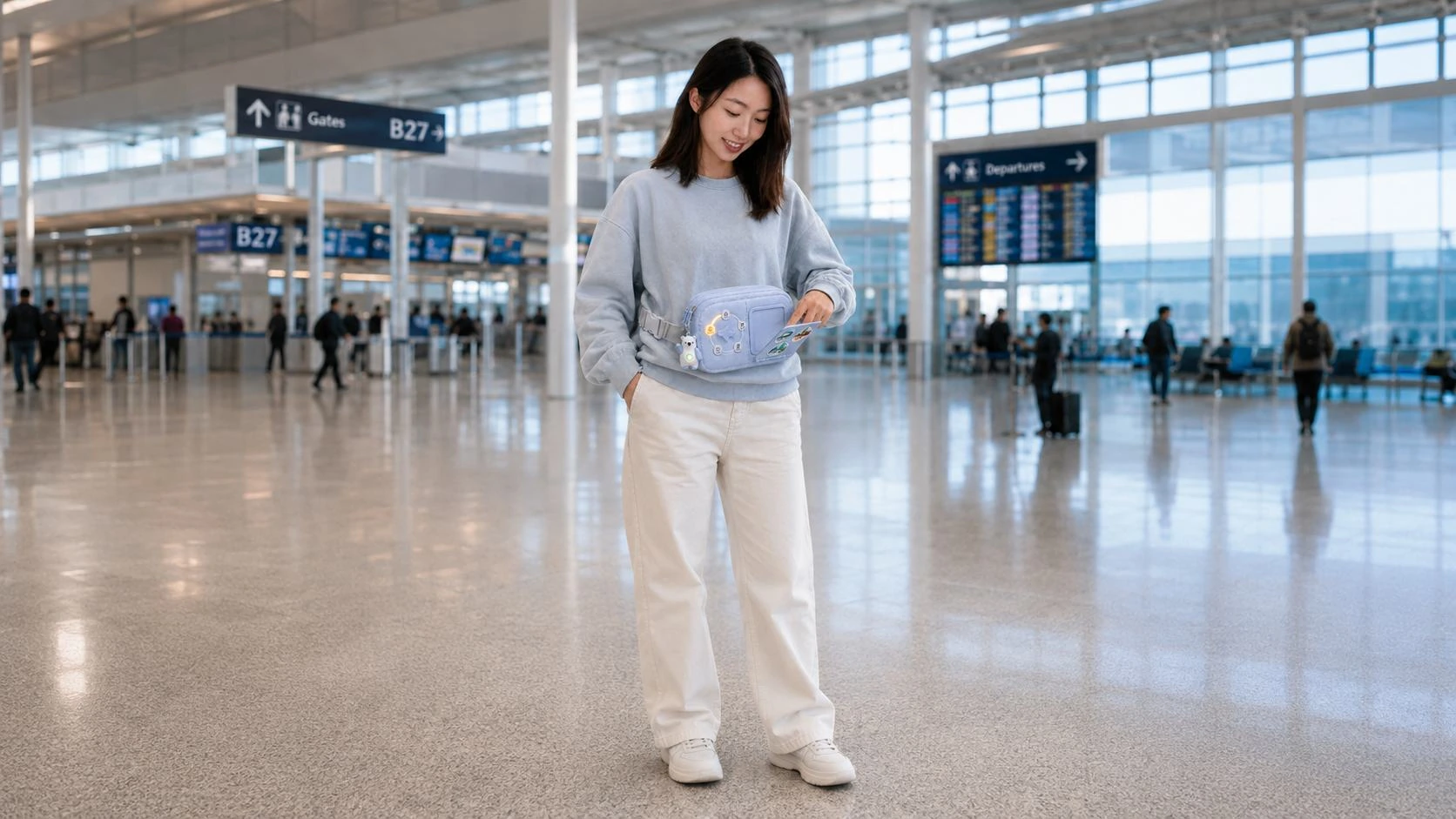
AirPal wearable concept in an airport setting
Design scenario / guidance that travels with you
Airport user journey map showing stages, emotions and opportunities
Journey mapping / locating moments of uncertainty

02 / Listening & observing

Research & Opportunity

I combined online ethnography, interviews, collage activities and airport observation to understand both practical difficulties and emotional needs.

  1. 01

    Less information, more relevance.
    Show what matters at the current stage.

  2. 02

    Guidance grounded in place.
    Connect instructions to the traveller’s surroundings.

  3. 03

    Reassurance beyond directions.
    Help people feel supported, not just informed.

03 / Exploring the form

Concept Development

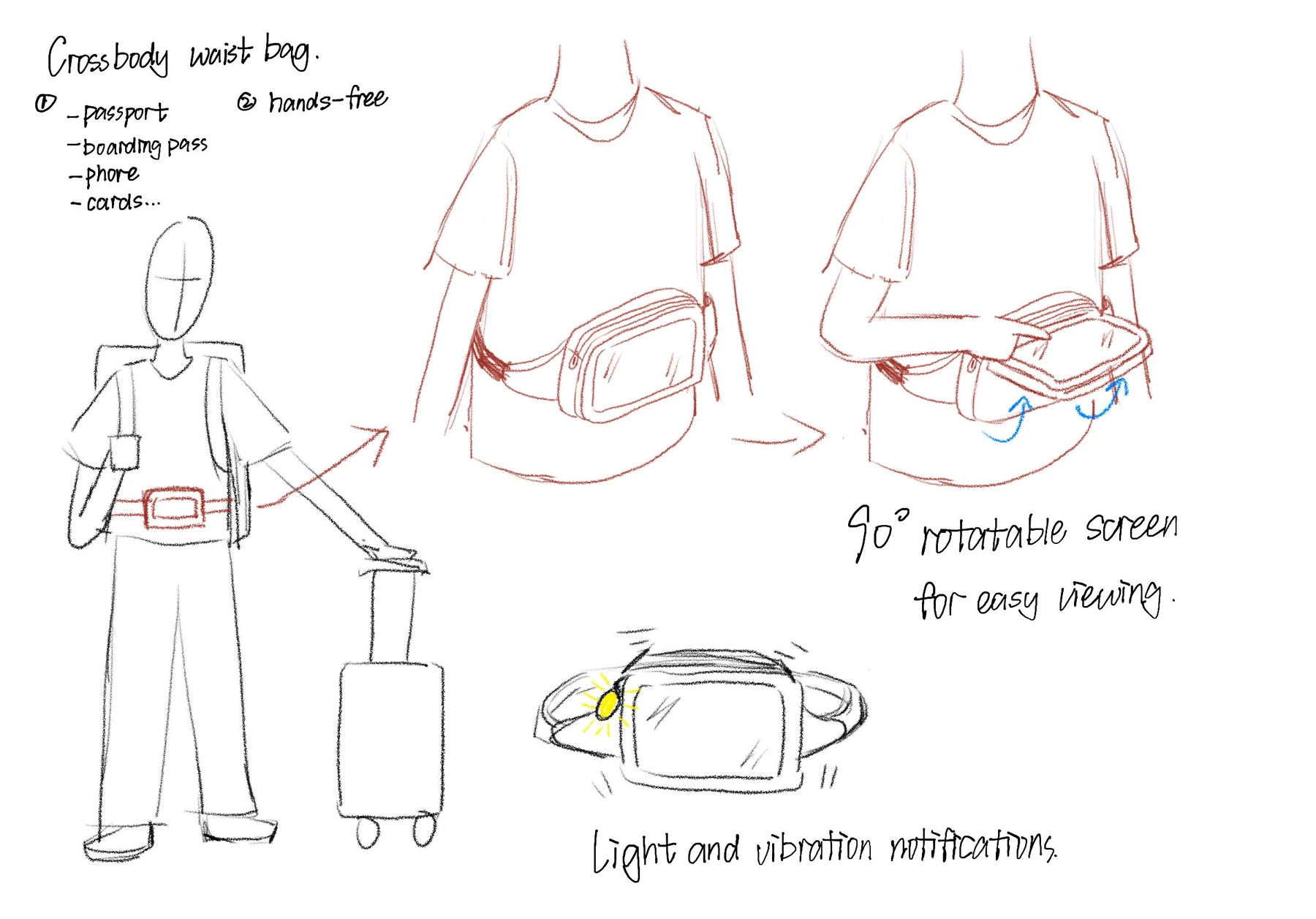
I explored a smartwatch, smart hat and wearable bag. The bag offered space for a more accessible interface while supporting something travellers already do: keeping important belongings close.
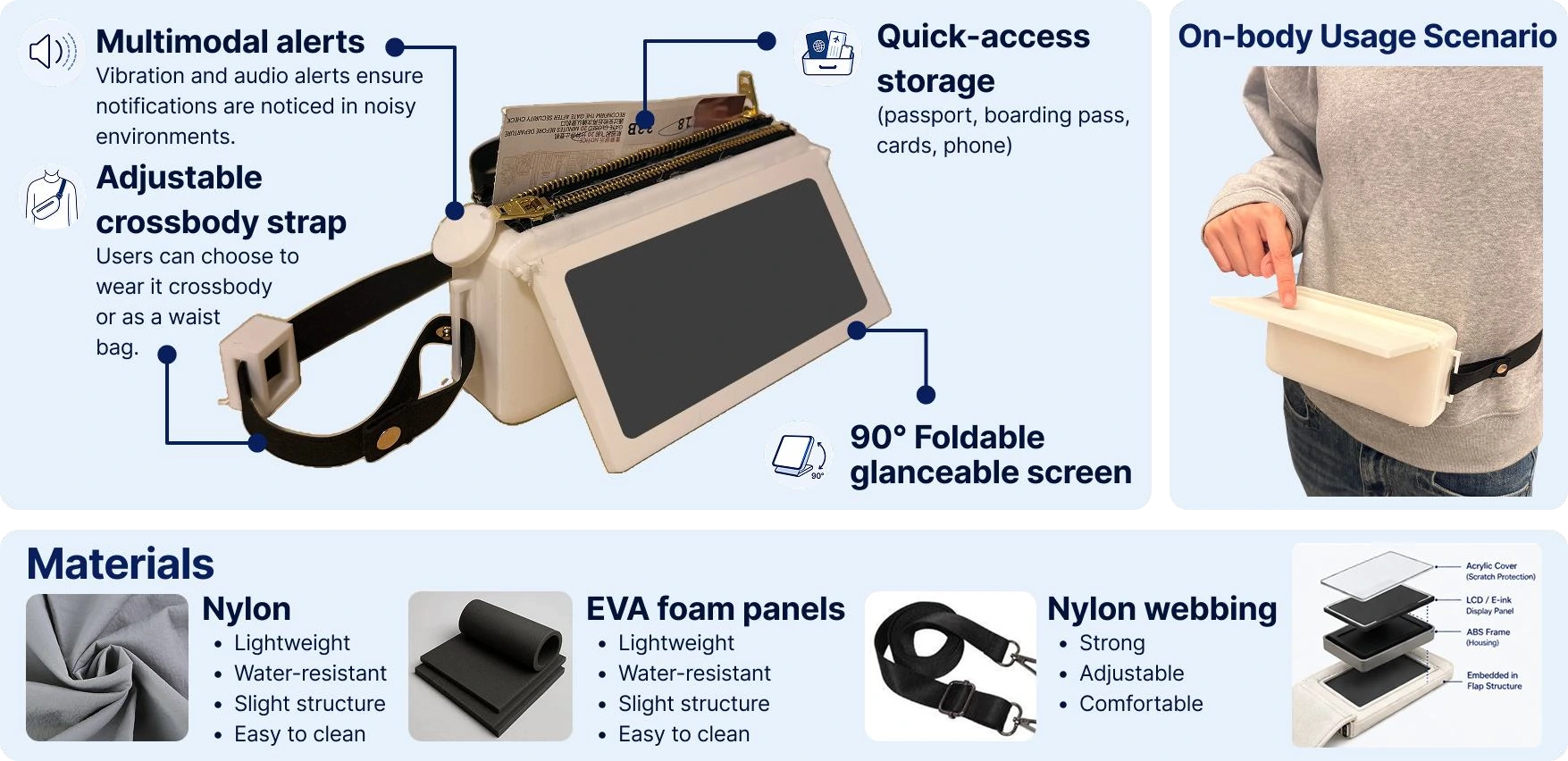
Clear next stepsEasy physical accessEmotional reassurance
Annotated sketches exploring the wearable bag, folding display and alerts
Interaction sketches / connecting body, belongings and screen
Physical AirPal prototype with materials and on-body exploration
Nylon, EVA foam and webbing / making the concept tangible

04 / Making & learning

From Sketch to Prototype

A mid-fidelity physical prototype helped explore the bag’s proportions, screen position and accessibility. The foldable screen brought guidance into reach without relying on a phone held throughout the journey.

  1. Sketch
  2. Physical form
  3. Wearable interaction
  4. Scenario testing

05 / Testing the experience

Testing & Learning

Five participants tried the prototype in a simulated airport setting, using think-aloud tasks, role-play, a usability questionnaire and follow-up interviews.

  1. 01

    Security preparation
    All participants completed the task.

  2. 02

    Finding the gate
    Distance-based instructions needed clearer contextual cues.

  3. 03

    Missing passport
    Alerts were noticed, but too many help options complicated the response.

Exploratory findings from a simulated study, not validation in a live airport.
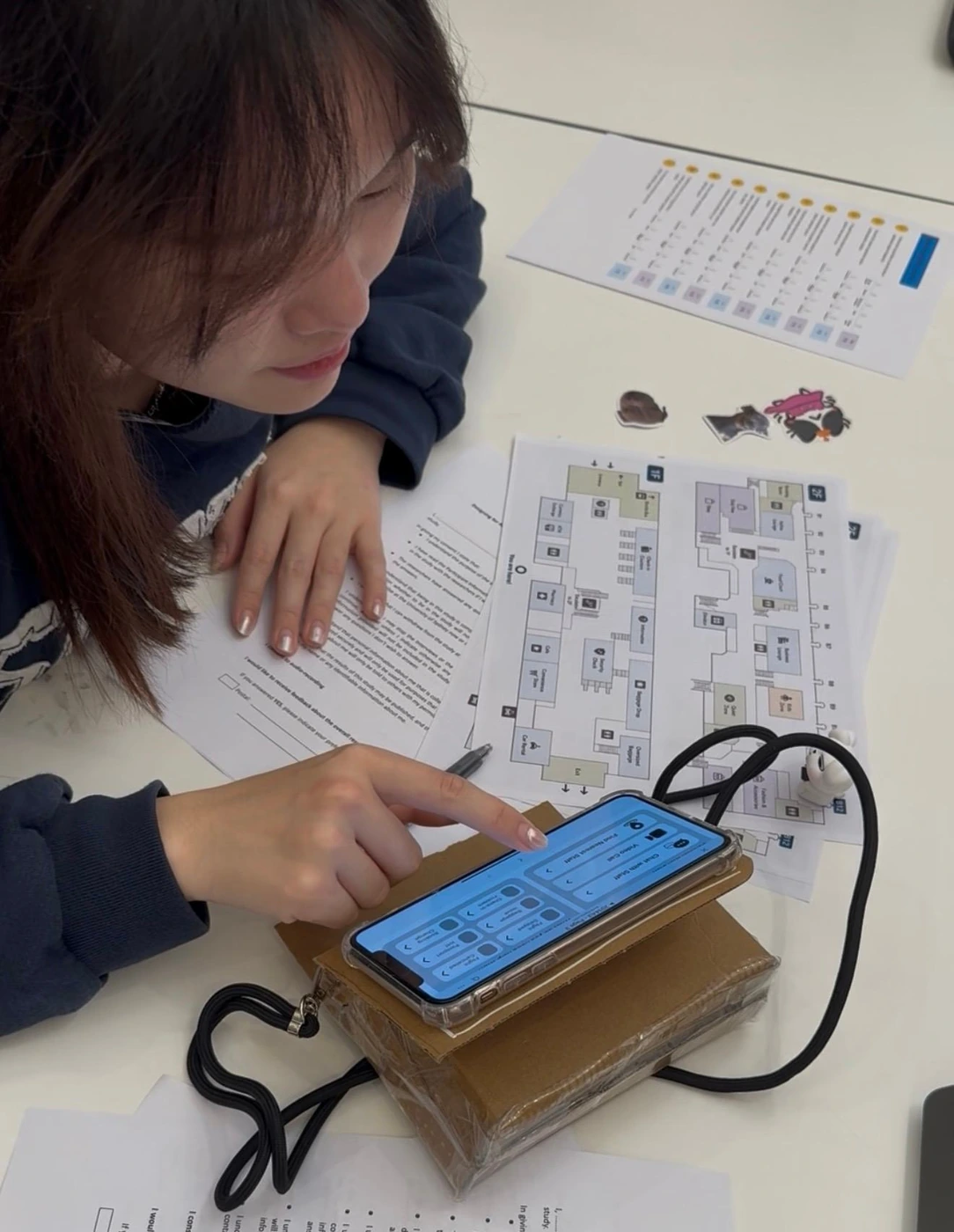
Participant interacting with the AirPal physical prototype
Scenario-based testing / observing actions and uncertainty

06 / Turning feedback into decisions

A Clearer Next Step

The interface evolved toward a stronger hierarchy, more focused stage-by-stage guidance, and simpler access to help.

Early AirPal journey interface
01 / Early exploration — bringing journey information together
Refined AirPal journey stage interface
02 / Refinement — organising guidance around the current stage
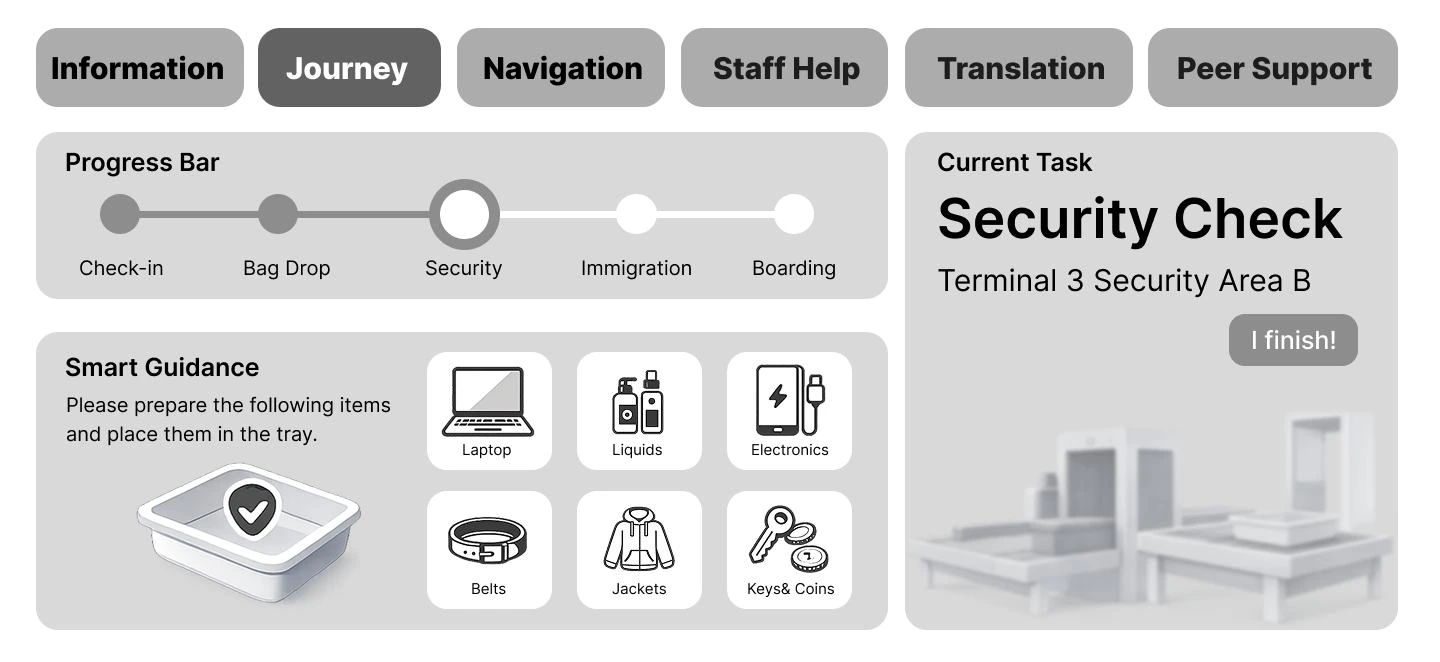
Final security check interface
03 / Final direction — clearer actions and more approachable visuals

07 / Physical & digital, together

The Final Experience

AirPal brings journey guidance into a familiar object: a bag worn at the waist or across the body. Information stays visible, while essentials stay organised.

  • Foldable screen for quick access to guidance
  • Physical progress dial for moving between journey stages
  • Dedicated storage for travel essentials
  • Bear charm concept using colour and vibration for missing-item alerts

Item detection and live airport data remain proposed capabilities for further development.
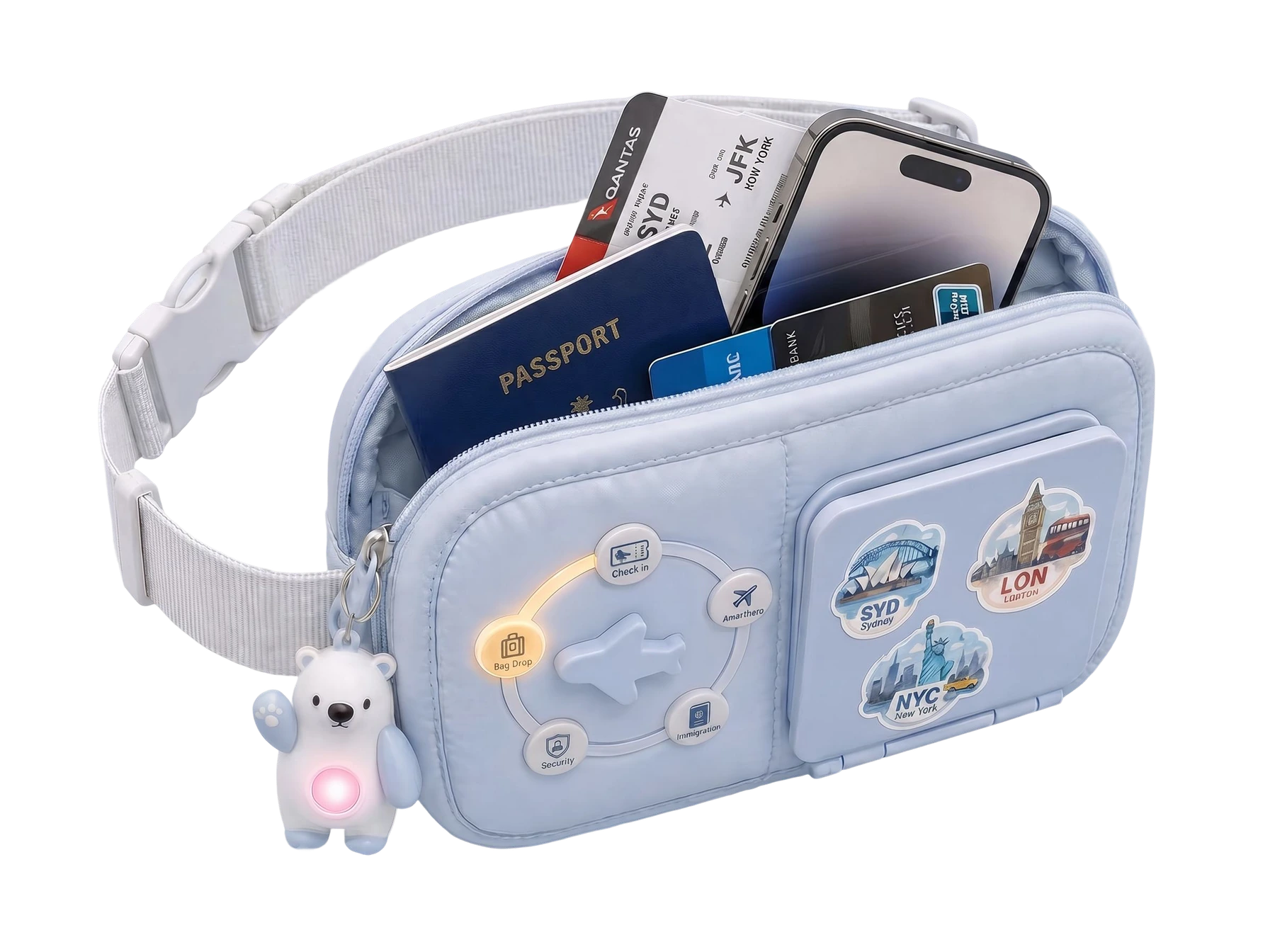
AirPal bag opened to show its internal storage compartments
Product form / essentials and assistance in one place

08 / On-screen companion

From Preparation to Gate

A small set of focused screens helps travellers prepare, move through airport procedures, navigate, and ask for support.
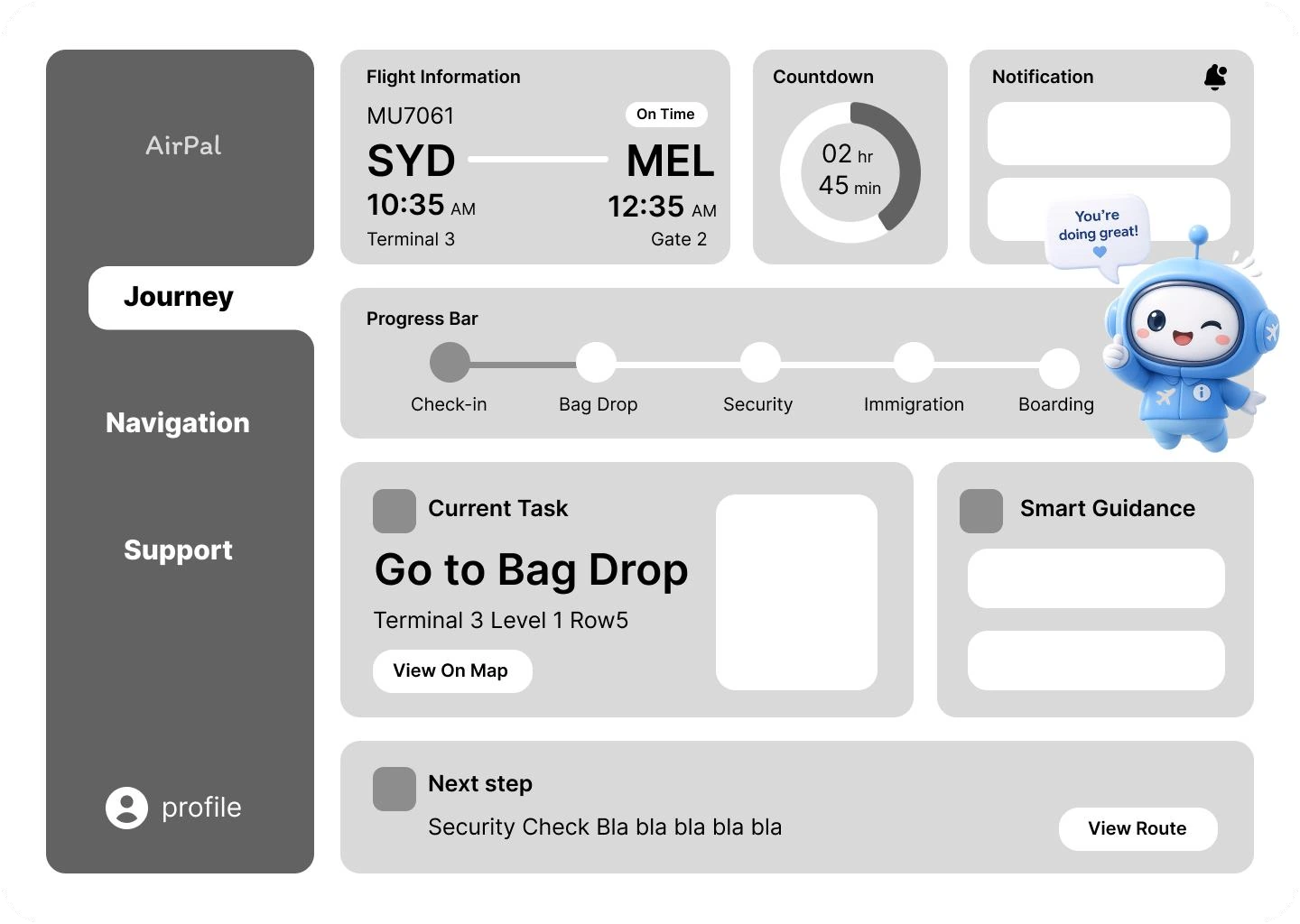
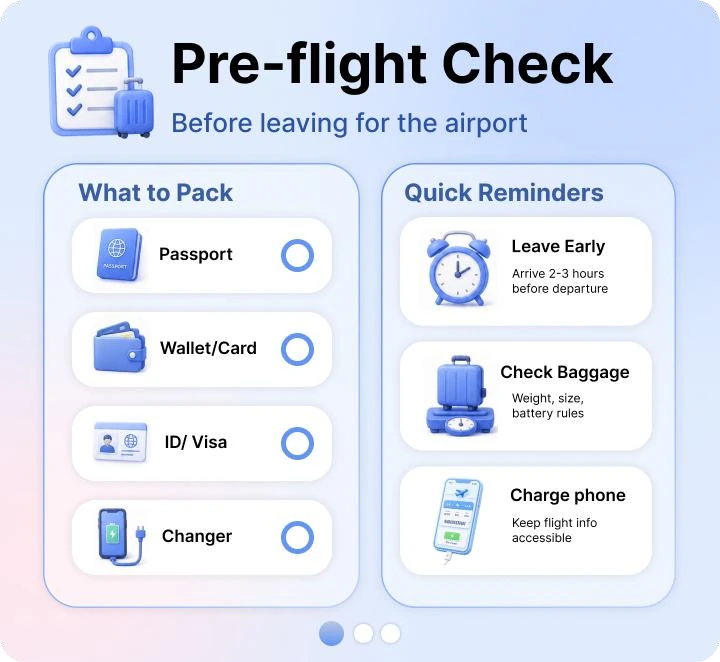
AirPal pre-flight check screen
Prepare / know what to bring
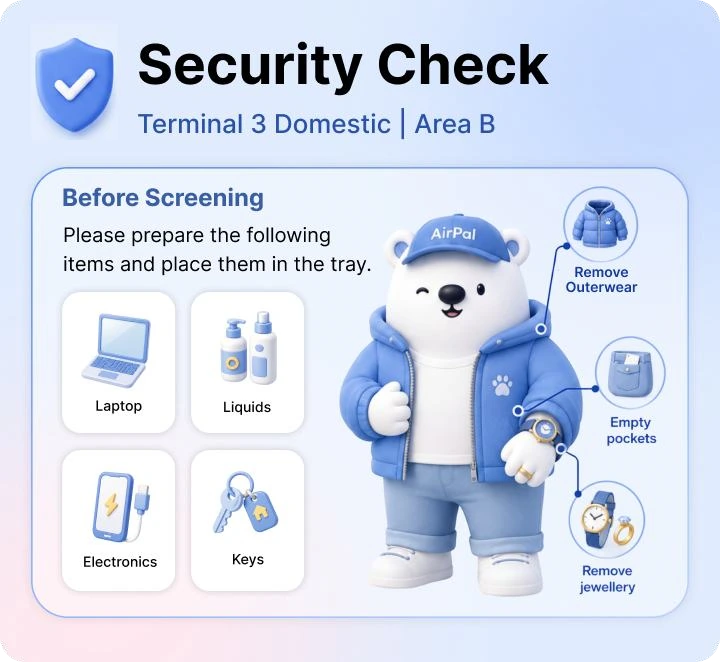
AirPal security check screen
Proceed / one stage at a time
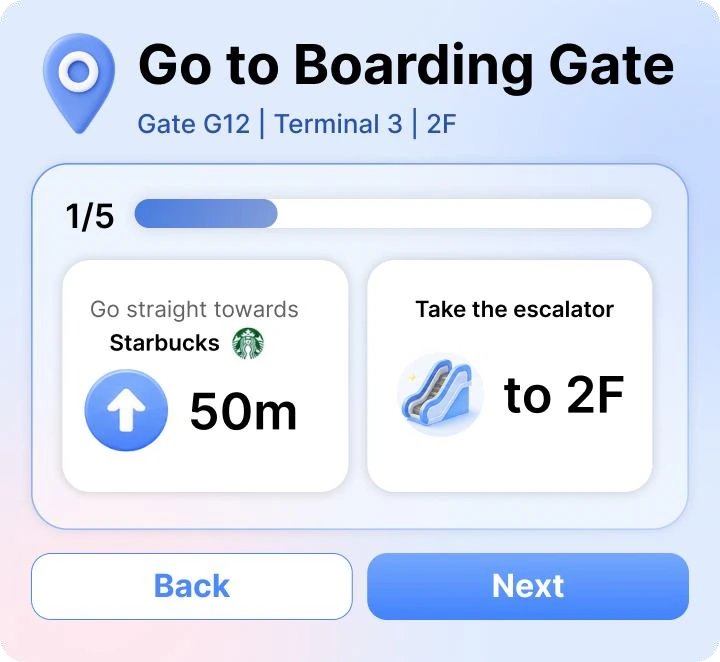
AirPal boarding gate navigation screen
Navigate / find the next destination
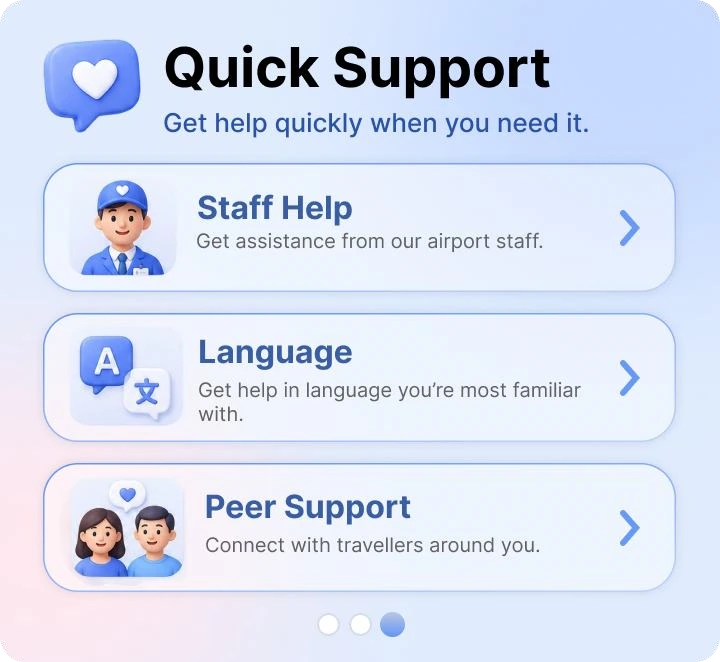
AirPal quick support screen
Get help / support within reach

09 / Reflection & next steps

Designing for Confidence

The project showed me that useful guidance is not simply more information. It is the right information at the right moment, supported by physical accessibility and emotional reassurance.

01

Connect Live Information

Explore airport and airline integration for timely flight, gate and procedure updates.

02

Ground Navigation in Place

Develop landmark-based cues and contextual indoor guidance beyond distances alone.

03

Test in Real Airports

Evaluate comfort, durability and usability during actual travel, with a wider range of travellers.

BACK TO WORK

Project image